class: center, middle, inverse, title-slide # Mixing Active Learning and Lecturing: Using Interactive Visualization as a Teaching Tool ## JSM 2018 <div style='float:left'> <hr color='#EB811B' size=1px width=720px> </div> <p><br></p> ### Jessica Minnier, PhD & Ted Laderas, PhD <br>Oregon Health & Science University <br> <i class="fa fa-twitter fa-fw"></i> <span class="citation">@datapointier</span> ### July 29, 2018<br><br> Slides available at <a href="http://bit.ly/jsm-minnier" class="uri">http://bit.ly/jsm-minnier</a> --- # Setting ## <font style="color: #EB811B;">OHSU Data Science Institute</font> - 2 Day workshop - 3 Hours for <font style="color: #EB811B;">"Introduction to Statistics and Data Exploration"</font> - Aim of DSI: "bring together researchers, librarians, and information specialists for formal training on key topics in data science" ## Audience - Librarians, information scientists, researchers - Very little mathematical/programming background - <font style="color: #EB811B;">Heterogeneous background</font> in science and research --- # Goals ## Statistical Concepts - Start with the <font style="color: #EB811B;">didactics</font> - Use <font style="color: #EB811B;">interactive visualizations</font> to illustrate statistical concepts ## Data Exploration - Empower students to <font style="color: #EB811B;">explore data (no fear!)</font> - Encourage understanding of relationships of data ## Interactivity - Interactive plots for exploration of <font style="color: #EB811B;">multi-variable relationships</font> - Include some <font style="color: #EB811B;">coding exercises</font> (as bonus material) --- # Methods ## Approach - Implement as a <font style="color: #EB811B;">LearnR Tutorial</font>, but used with didactic teaching - LearnR: uses <font style="color: #EB811B;">Shiny</font> to build interactive R Markdown style workbooks - Can be deployed as a website, or on student’s computer (requires R/Rstudio) ## Practicalities - <font style="color: #EB811B;">Categorical data</font> session and <font style="color: #EB811B;">continuous data</font> session - Hosted on github as a package on Github <font style="color: #EB811B;">laderast/DSIExplore</font> (https://github.com/laderast/dsiexplore) - Hosted workbooks on shinyapps.io for real time interactivity --- # Interactivity - Didactic lessons embedded in workbooks with interactive components - <font style="color: #EB811B;">Interactive sliders, dropdown options</font> allow interaction with data filtering and analysis - Interactive code teaches <font style="color: #EB811B;">effect of changing code components</font> on visualizations/analyses --- class: clear .font70[https://tladeras.shinyapps.io/categoricalData/] 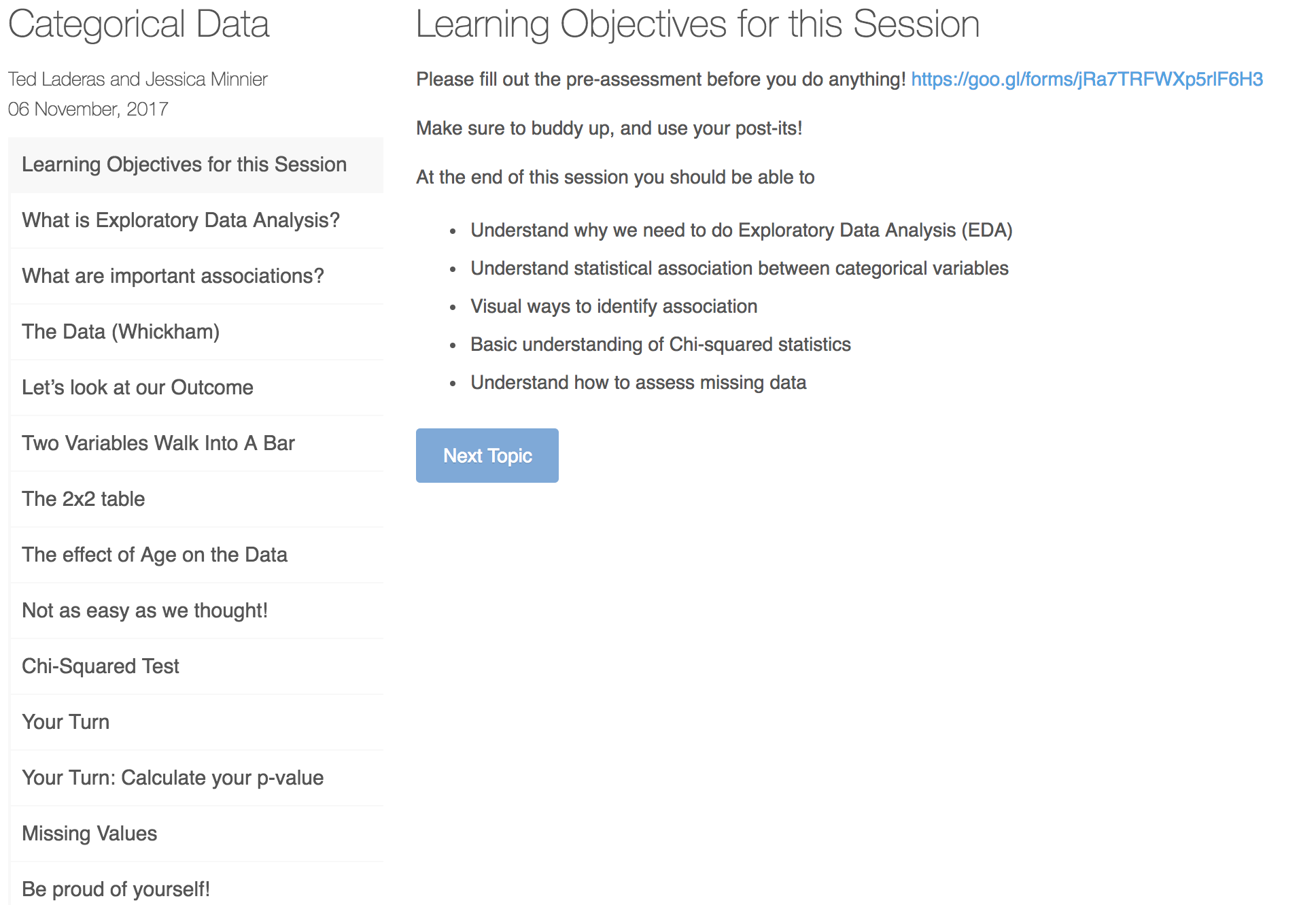 --- class: clear 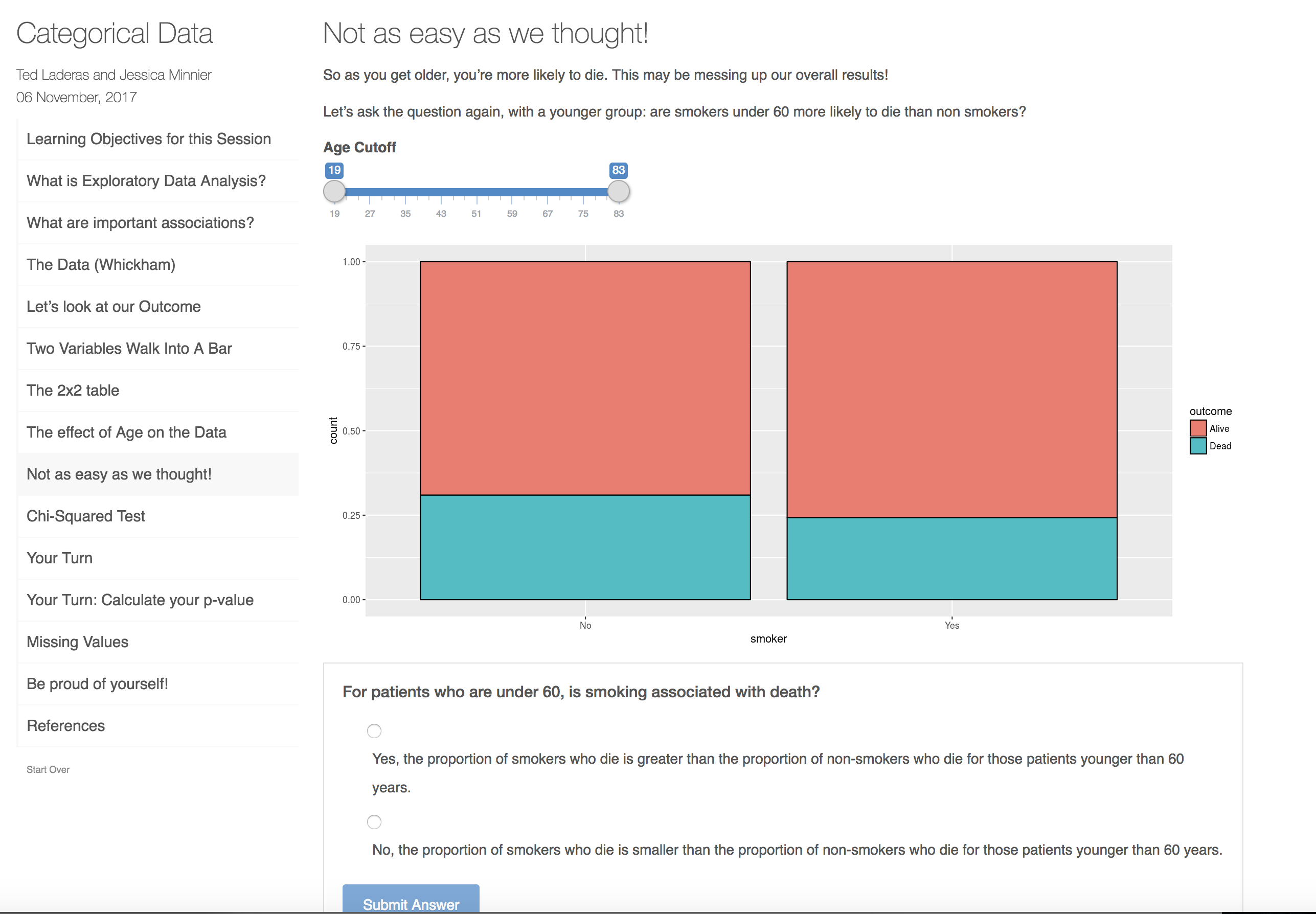 --- class:clear 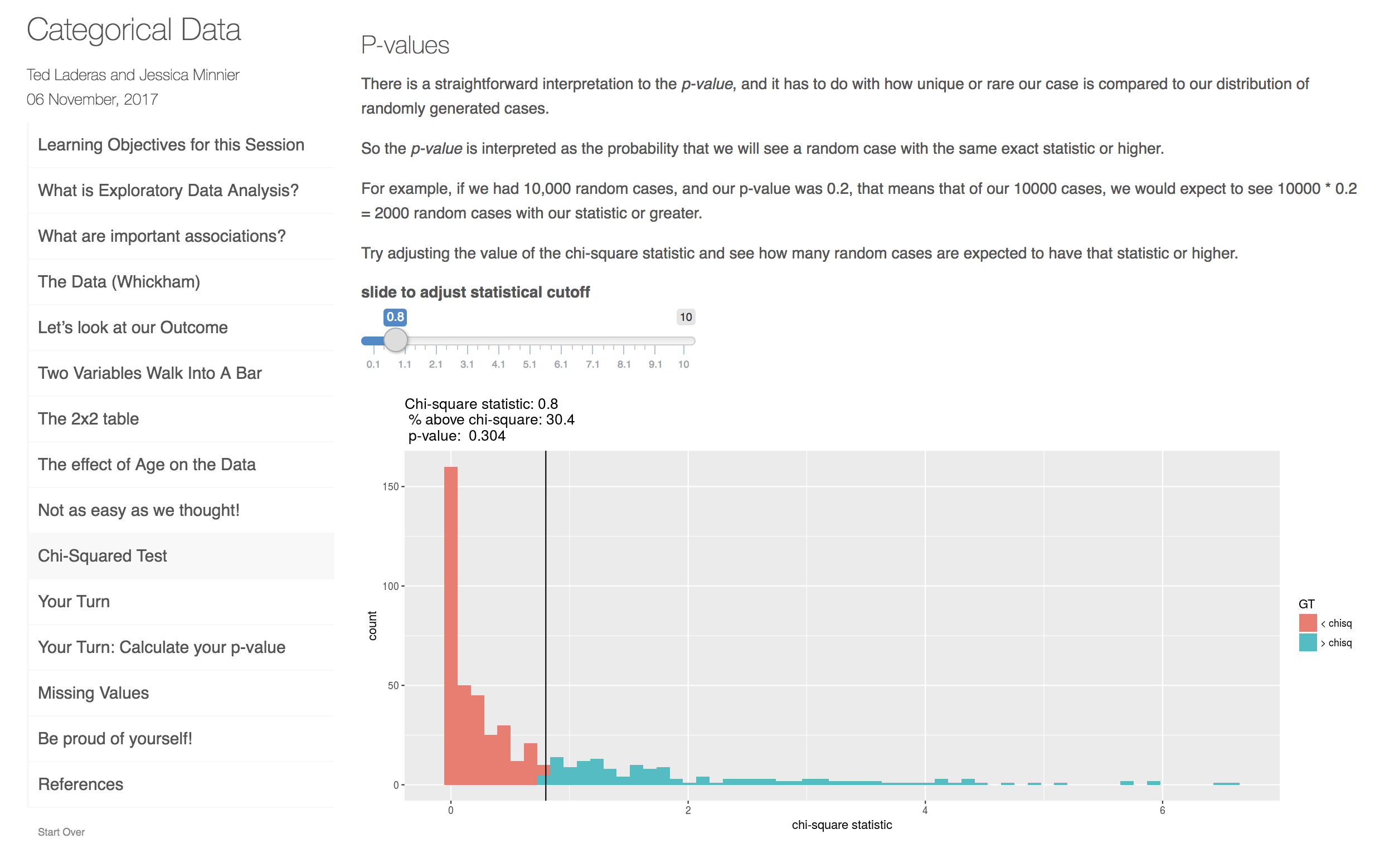 --- class: clear .font70[https://minnier.shinyapps.io/ODSI_continuousData/] 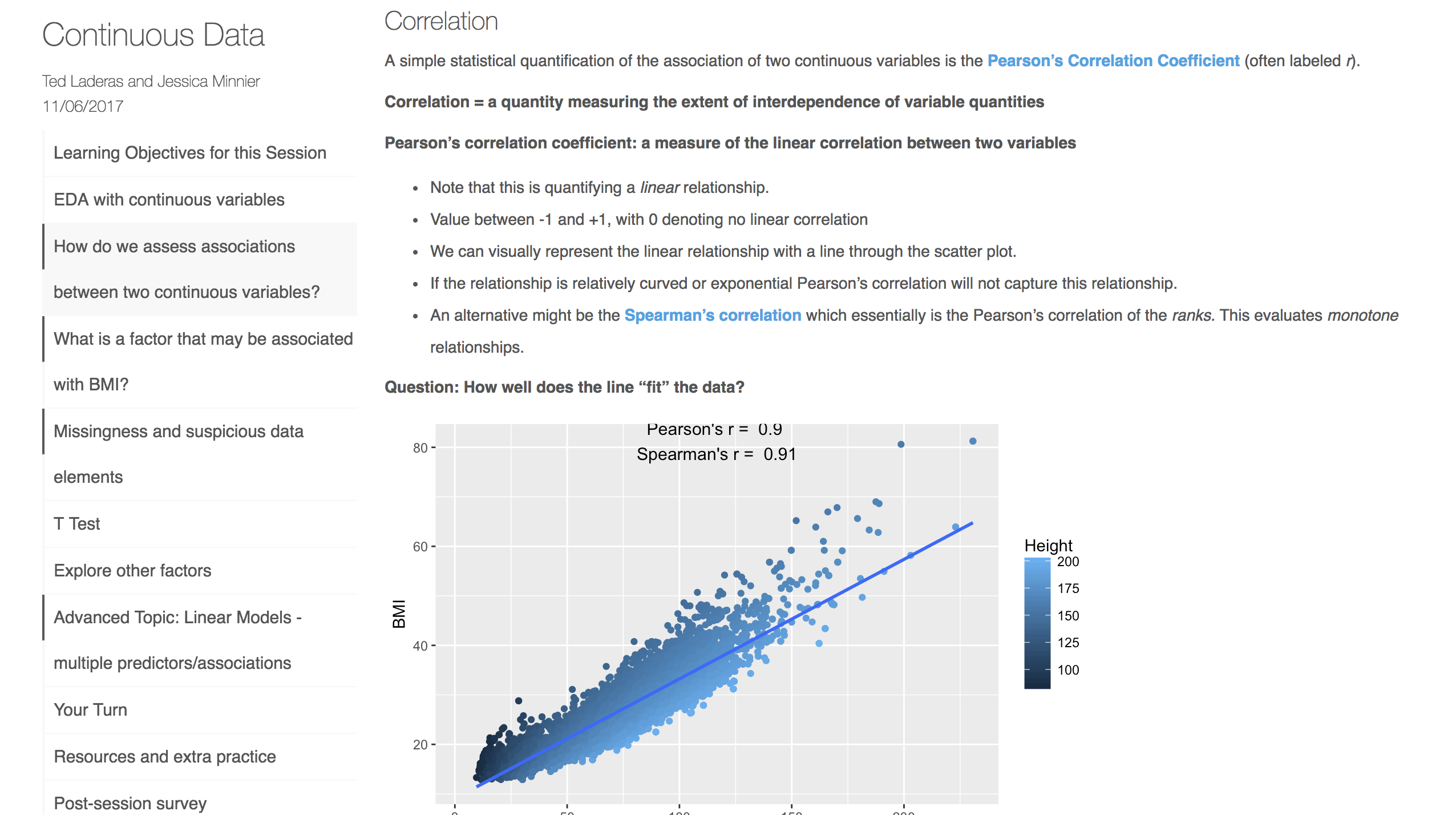 --- class: clear 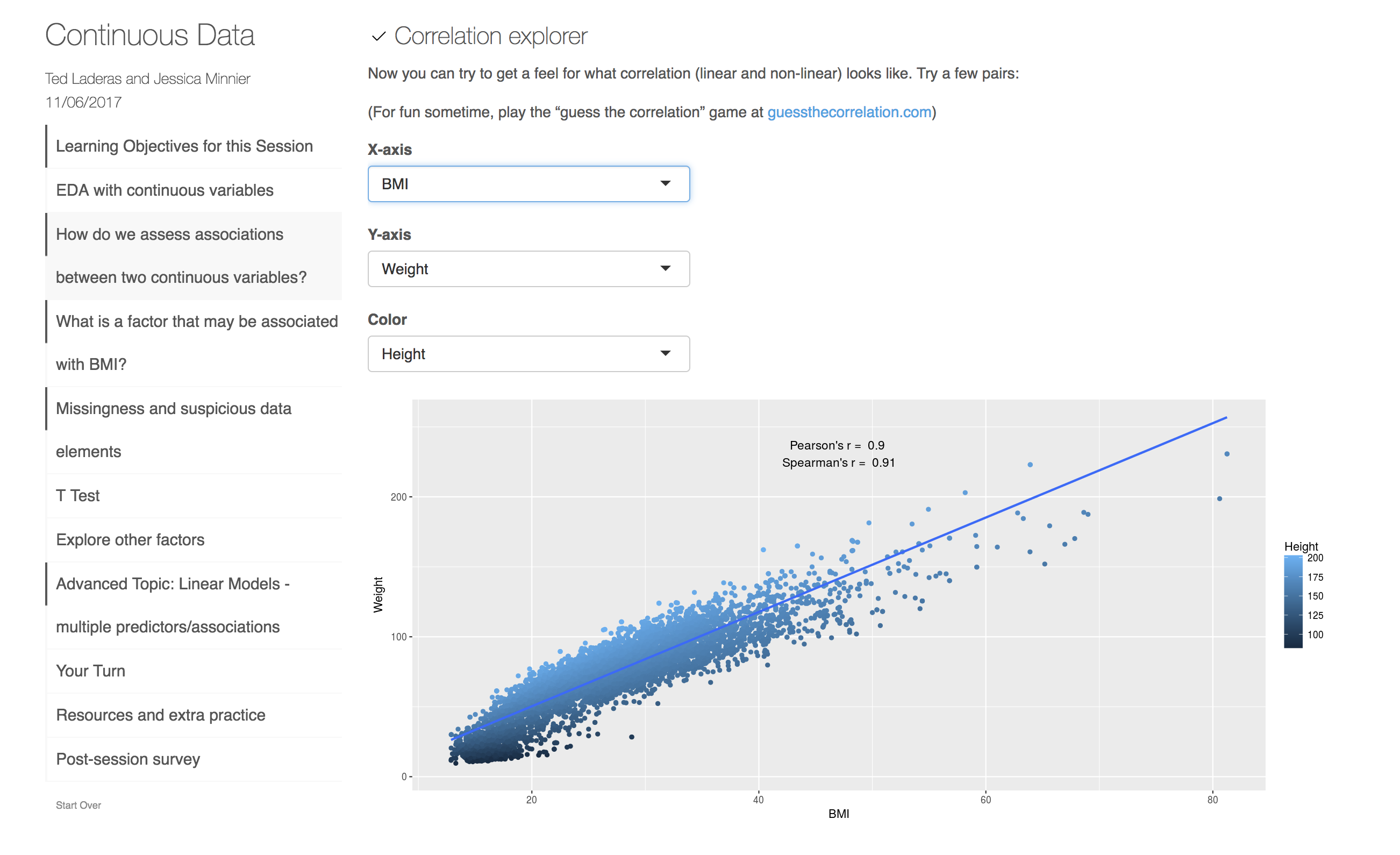 --- class: clear 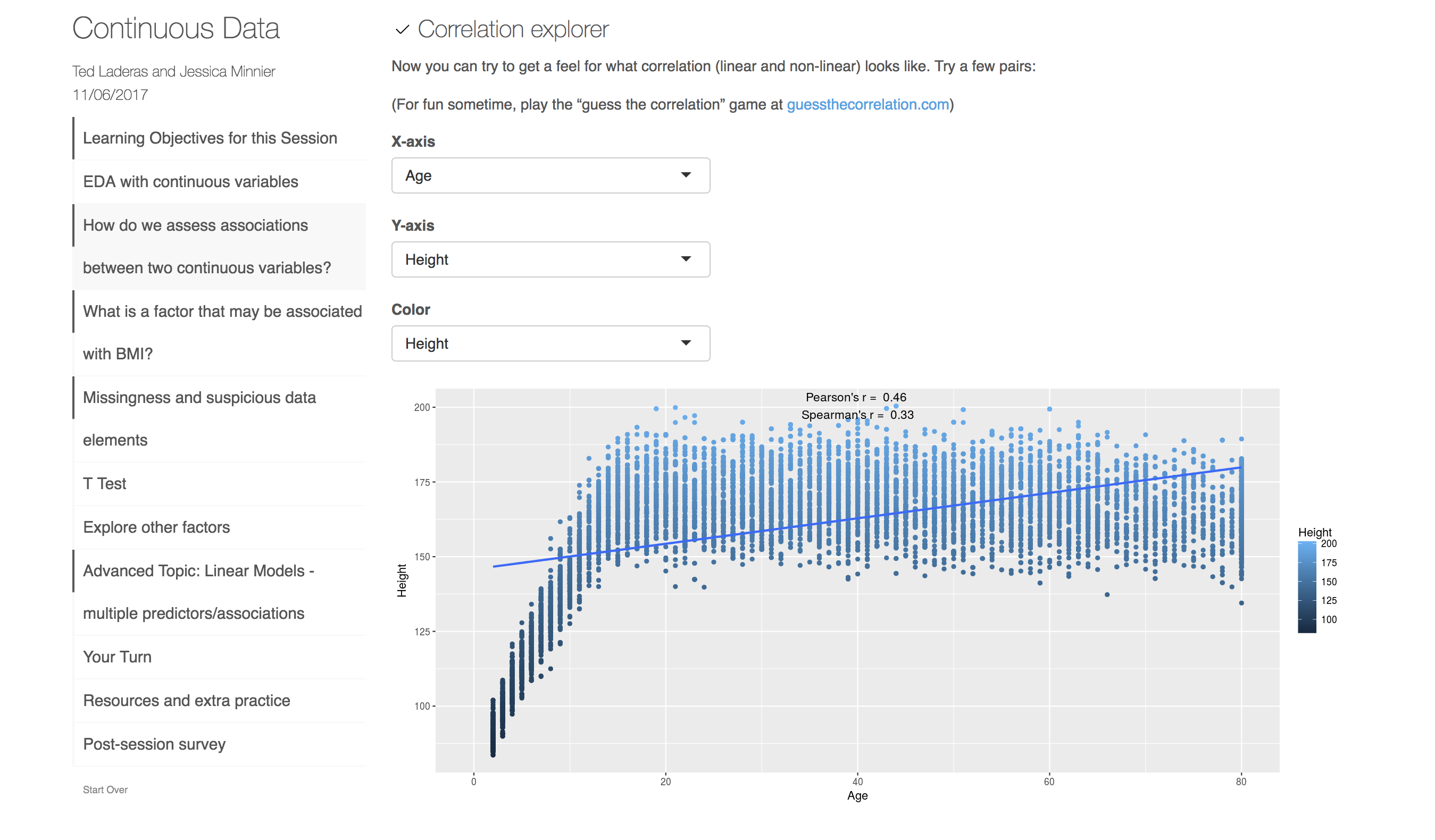 --- class: clear 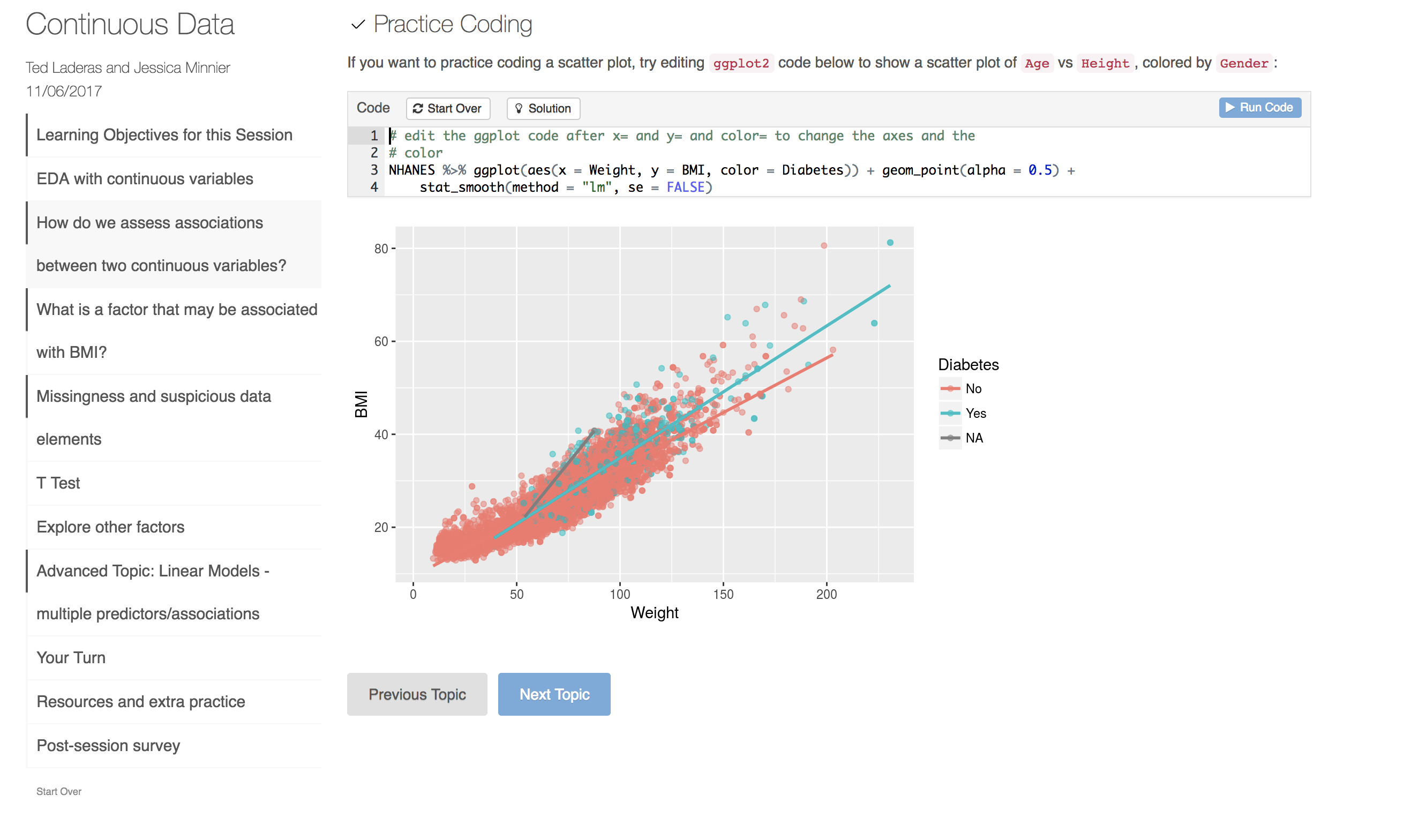 --- class: clear 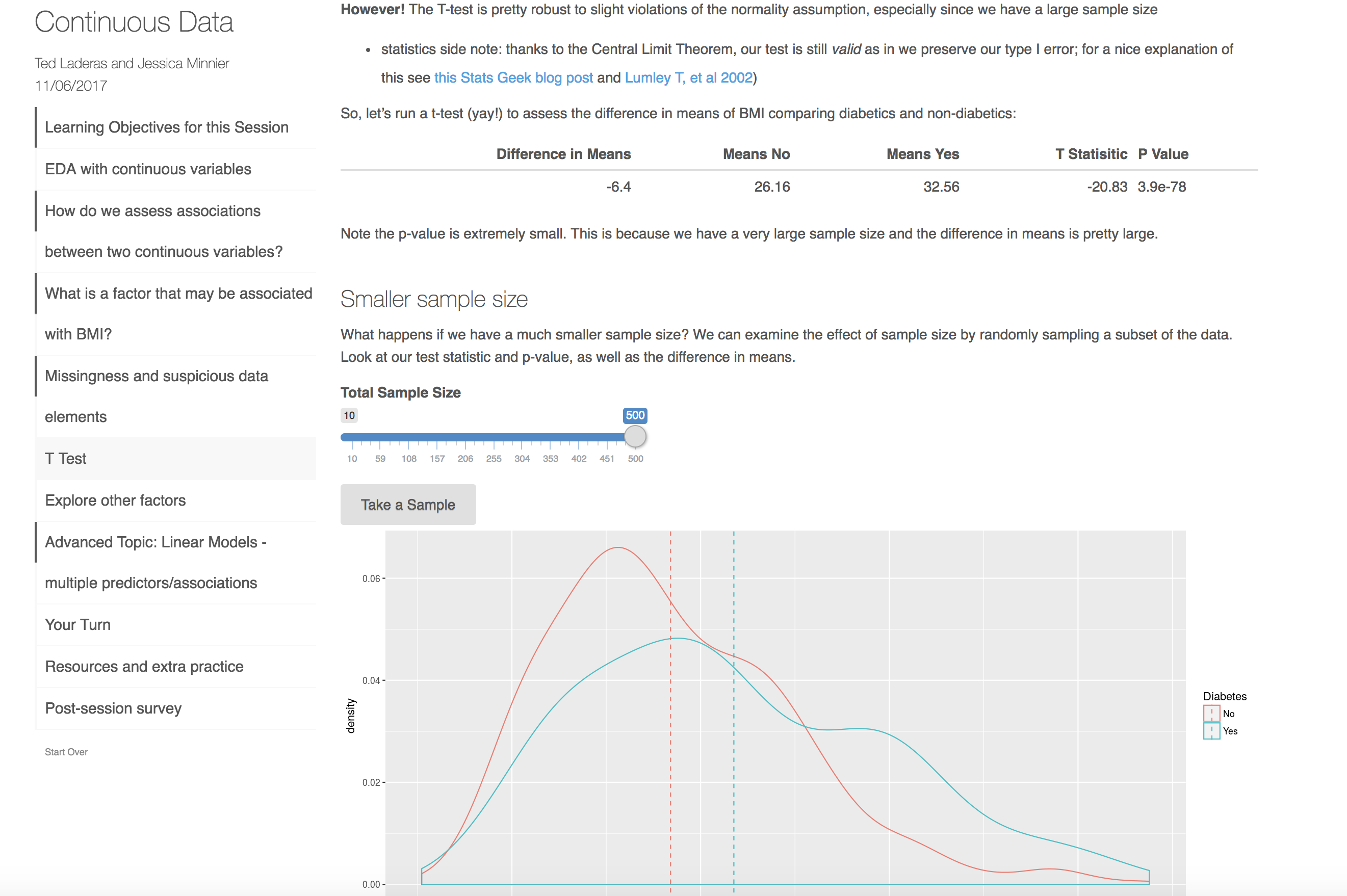 --- # Conclusions & Results - LearnR package + Shiny in R → interactive workbooks - Students were <font style="color: #EB811B;">empowered to learn</font> - Students liked the visualizations + “Very well done and methodical treatment - the sliders were great!” - Students felt engaged with the subject + “Explanation of key statistical concepts was effective and really made me want to learn more.” - Pre/Post-workshop survey: <font style="color: #EB811B;">95% of learners (survey responders) felt they gained practical knowledge (n=22)</font> --- # Survey Results 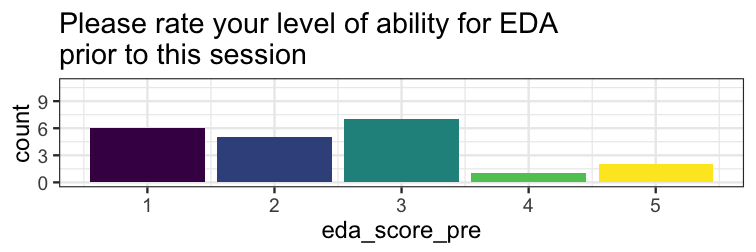<!-- -->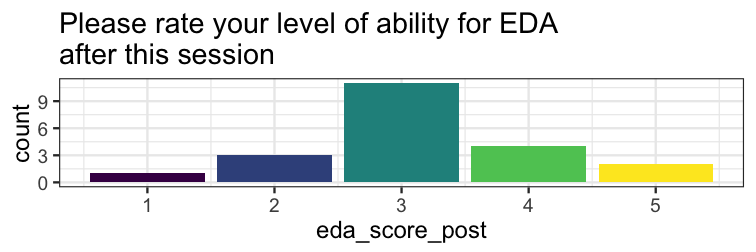<!-- --> --- # Impact ## Pros: - <font style="color: #EB811B;">Accessible</font> to beginners - Mathematical concepts are more <font style="color: #EB811B;">memorable</font> - Sparks <font style="color: #EB811B;">discussions</font> - Empowers and engages students in <font style="color: #EB811B;">scientific discovery/analysis</font> ## Cons: - <font style="color: #EB811B;">Advanced</font> students may require more challenging activities - Visualizations must be tested for <font style="color: #EB811B;">effectiveness</font> - Requires <font style="color: #EB811B;">programming</font> skills to implement --- # Future Work and Adaptations - Expand materials with more advanced statistical concepts - Longer workshops `\(\longrightarrow\)` more interactive material, more topics - Determine which interactive explorations are most effective ## Introduction to Visualization/Data Literacy - Extension of this work: https://tladeras.shinyapps.io/dataLiteracy/ - [HMSP410, Health Informatics](https://laderast.github.io/HSMP410/) for OHSU-PSU School of Public Health (co-taught by Ted Laderas and Bill Hersh) --- # Further Information - eCOTS e-poster: https://www.causeweb.org/cause/ecots/ecots18/posters/3-03 - Categorical Data: https://tladeras.shinyapps.io/categoricalData/ - Continuous Data: https://minnier.shinyapps.io/ODSI_continuousData/ - LearnR package: https://rstudio.github.io/learnr/ - DSIexplore LearnR package: https://github.com/laderast/DSIExplore --- # Thank you! <br> Ted Laderas, PhD <i class="fa fa-twitter fa-fw"></i> [laderas](https://twitter.com/laderas), <i class="fa fa-github fa-fw"></i> [laderast](https://github.com/laderast/) <i class="fa fa-globe fa-fw"></i> https://laderast.github.io/ Contact me: <i class="fa fa-envelope fa-fw"></i> minnier-[at]-ohsu.edu, <i class="fa fa-twitter fa-fw"></i> [datapointier](https://twitter.com/datapointier), <i class="fa fa-github fa-fw"></i> [jminnier](https://github.com/jminnier/) Slides available at <font style="text-transform: lowercase;"><http://bit.ly/jsm-minnier></font> <br> Code for slides available at <https://github.com/jminnier/talks_etc> Slides created via the R package [xaringan](https://github.com/yihui/xaringan) by [Yihui Xie](https://twitter.com/xieyihui?lang=en) with the metropolis theme